
TMP Online Landing
- Obtain the TPC file
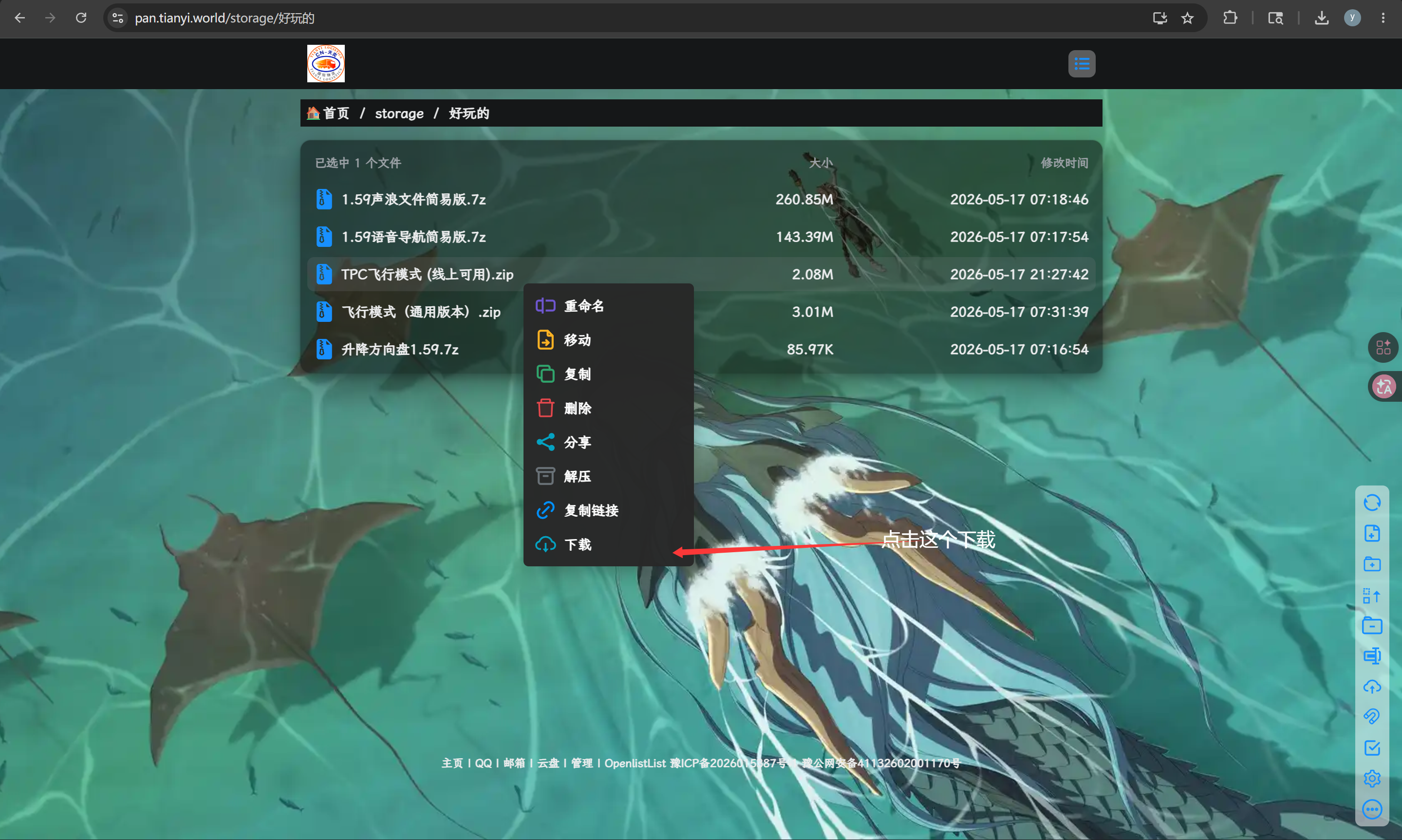
Go to Tianyi International Logistics Fleet Resource Disk and right-click to download TPC Flight Mode (Available Online)
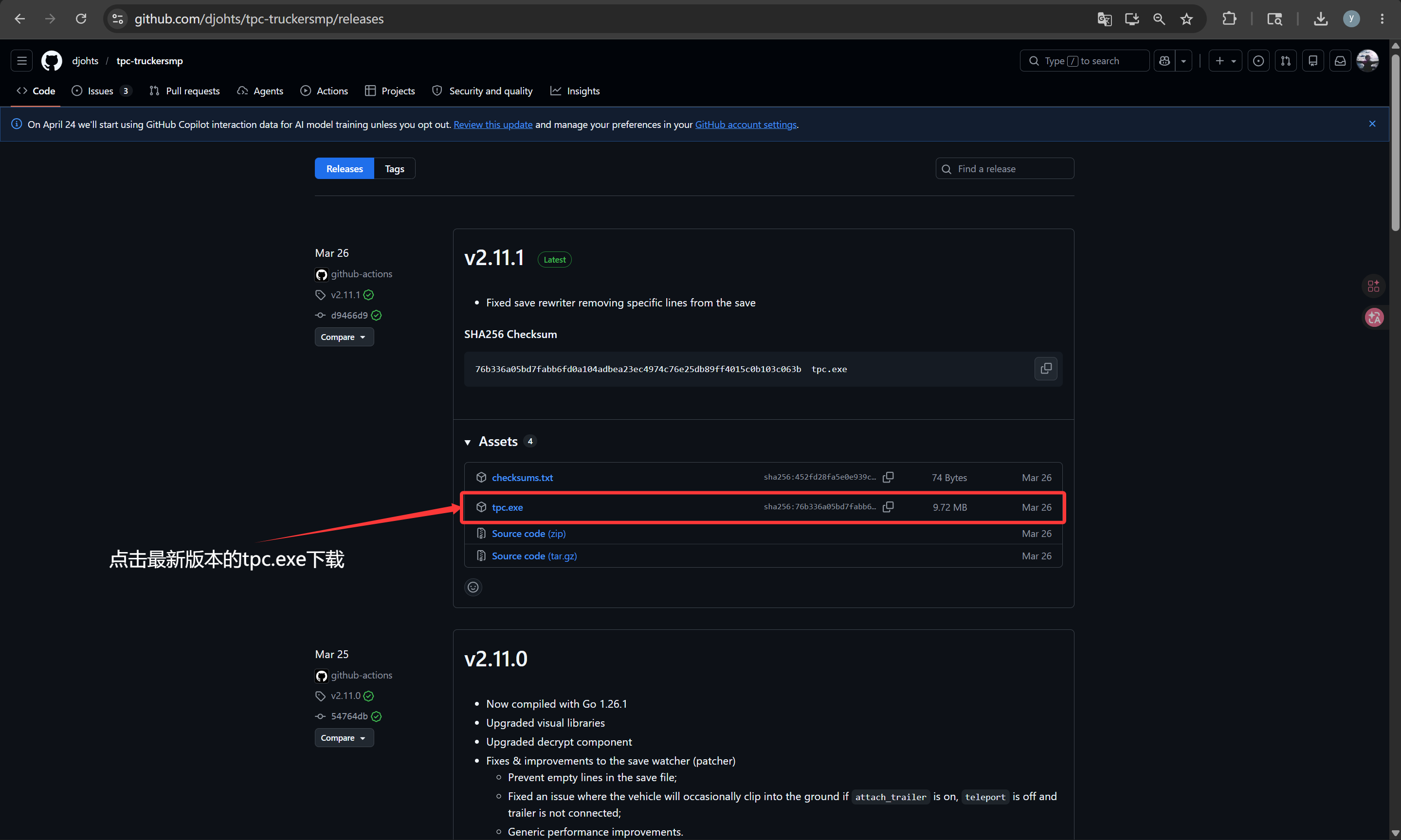
Official Link (Github)
⚠️Note: This method requires a VPN/accelerator. If you do not have such software, it is recommended to go to Tianyi International Logistics. Team Resource Disk Download
Download Link: https://github.com/djohts/tpc-truckersmp/releases
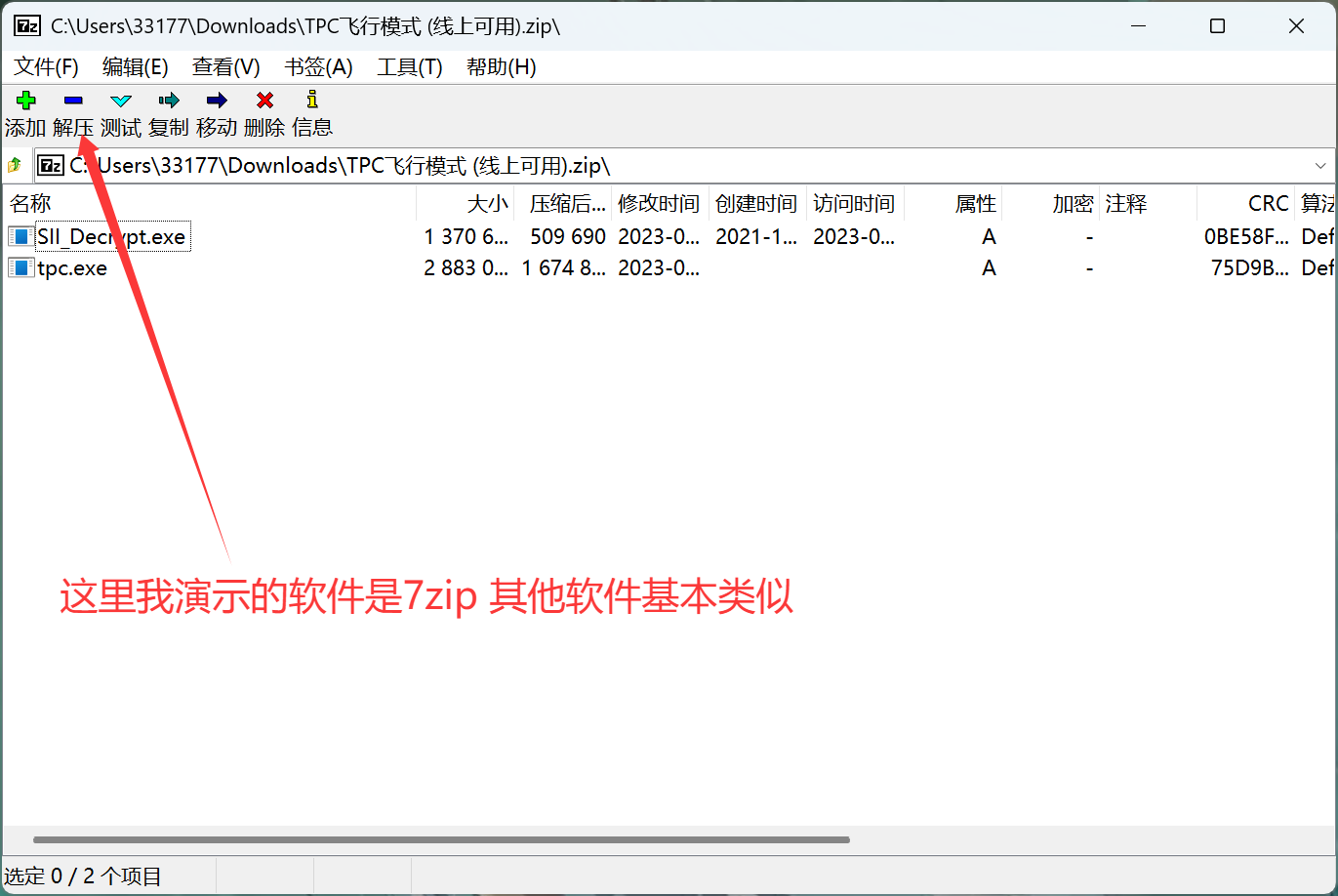
- Open the compressed file and extract it
Tips
Both .exe files need to be extracted, otherwise TPC will not run
- Open TPC and enter the game.
When you open TPC, you will see these contents:
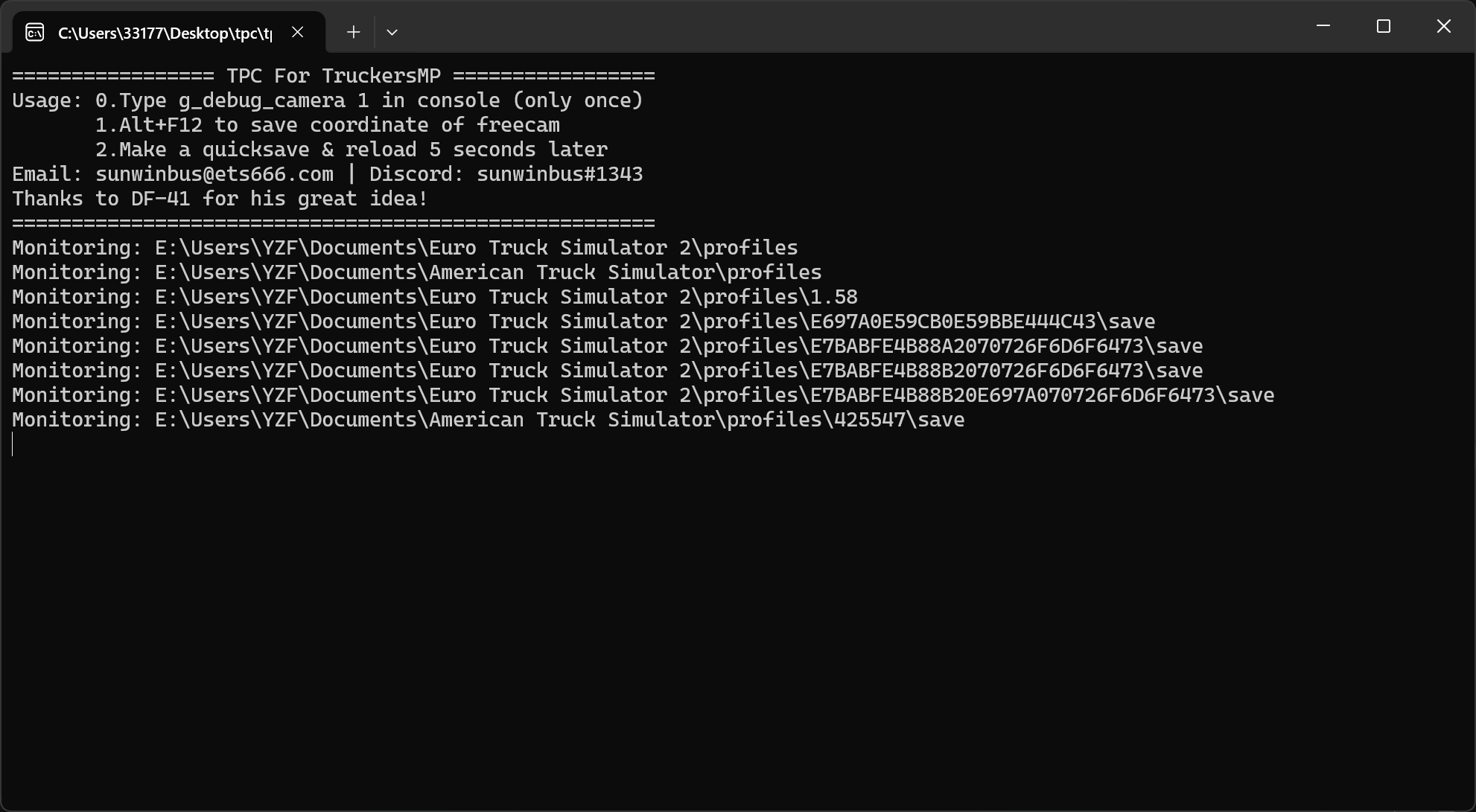
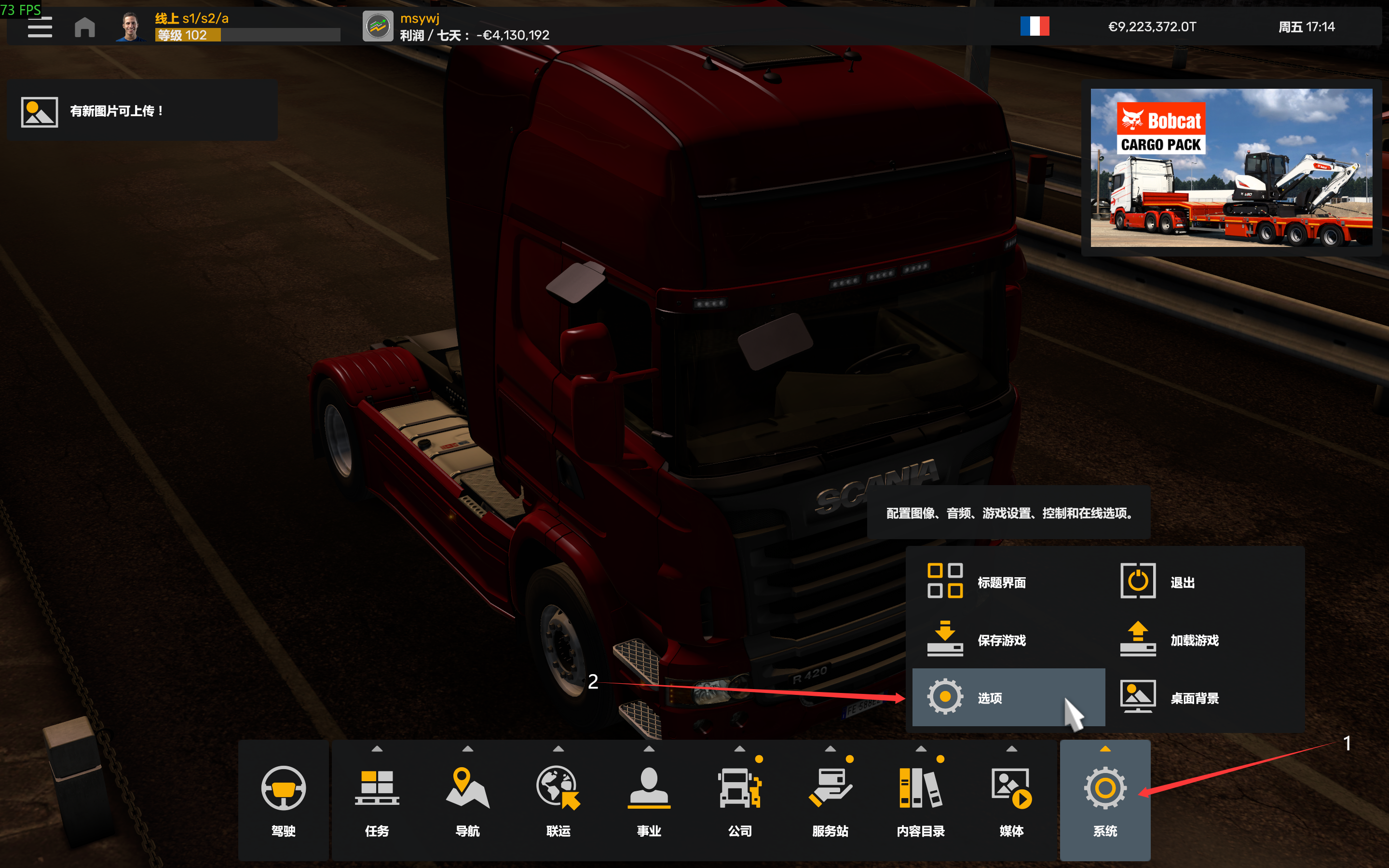
3.1 Click Settings - Options
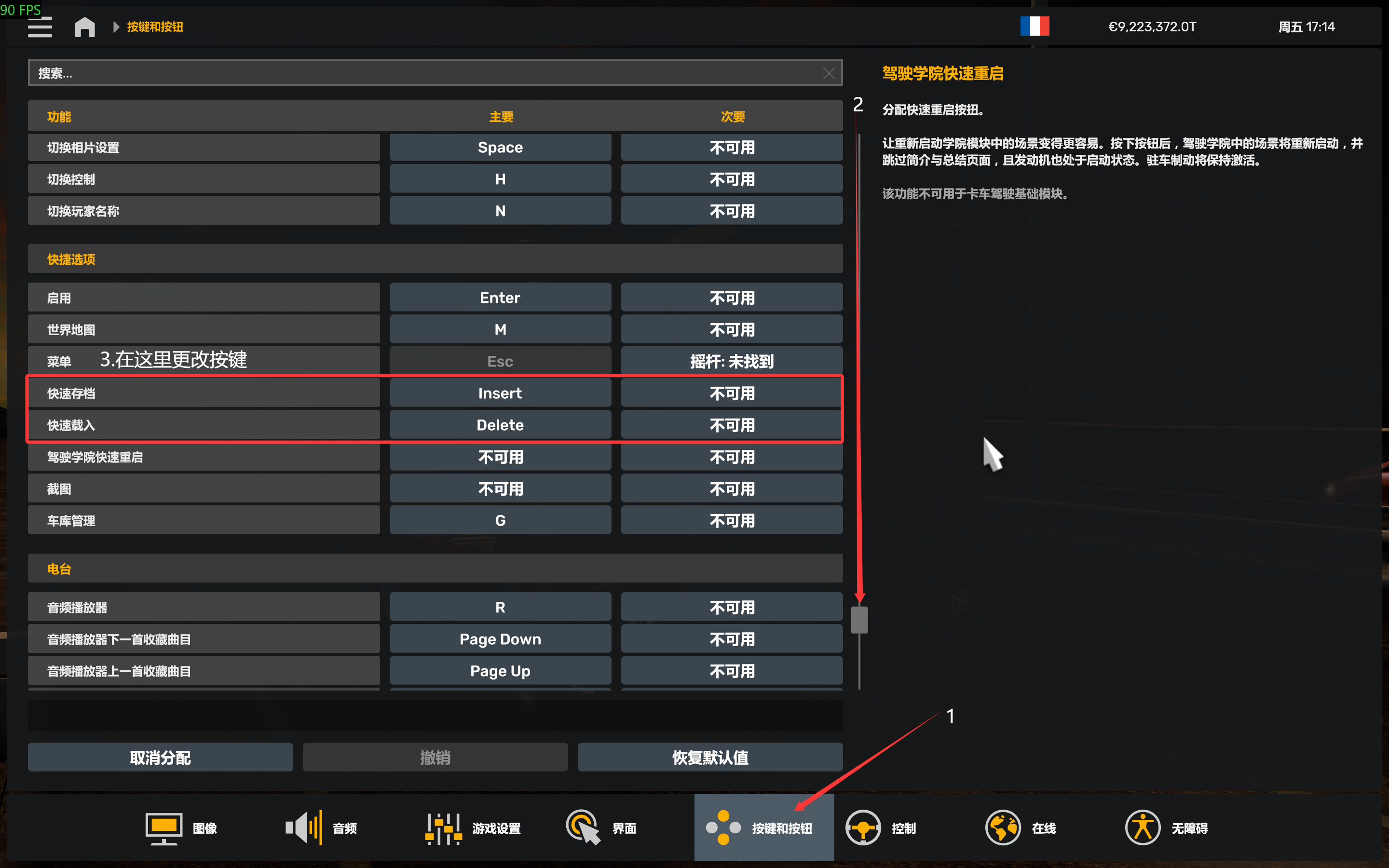
3.2 Click Keys and Buttons, slide to the shortcut options below and change the key bindings.
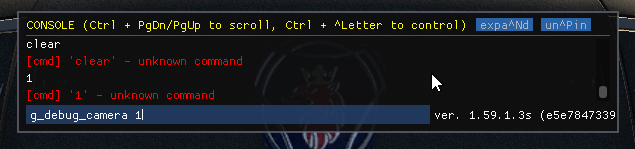
3.3 Click ~ to bring up the console and type g_debug_camera 1 Then press Enter.
Enter the game and click the
0above the English area (note that this is not the0on the numeric keypad).Click the
4,5,6,8on the numeric keypad for flight,9for flying high, and3for flying low.To land, press
Alt+F12and wait 5 seconds.Then click the key you just set as a
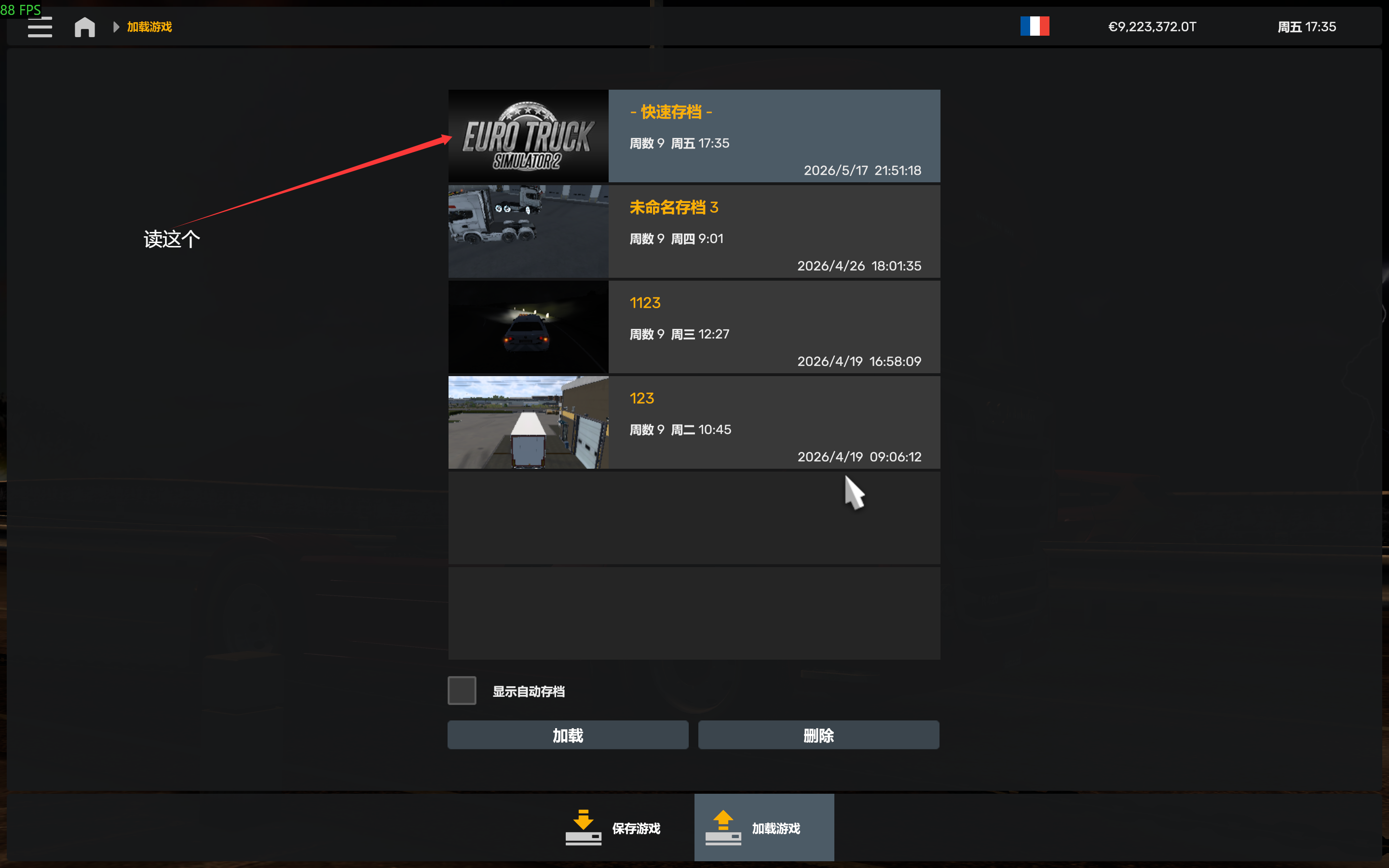
quick save(for example, if I set it to theInsertkey, click it). Wait another 5 seconds.After 5 seconds, click the key you just set as a
fast load(for example, if I set it to theDeletekey, click it). Then load the-quick save. -`Archived Image
Tips
- Use the scroll wheel to adjust flight speed.
- Truckersmp can use this method to land.